


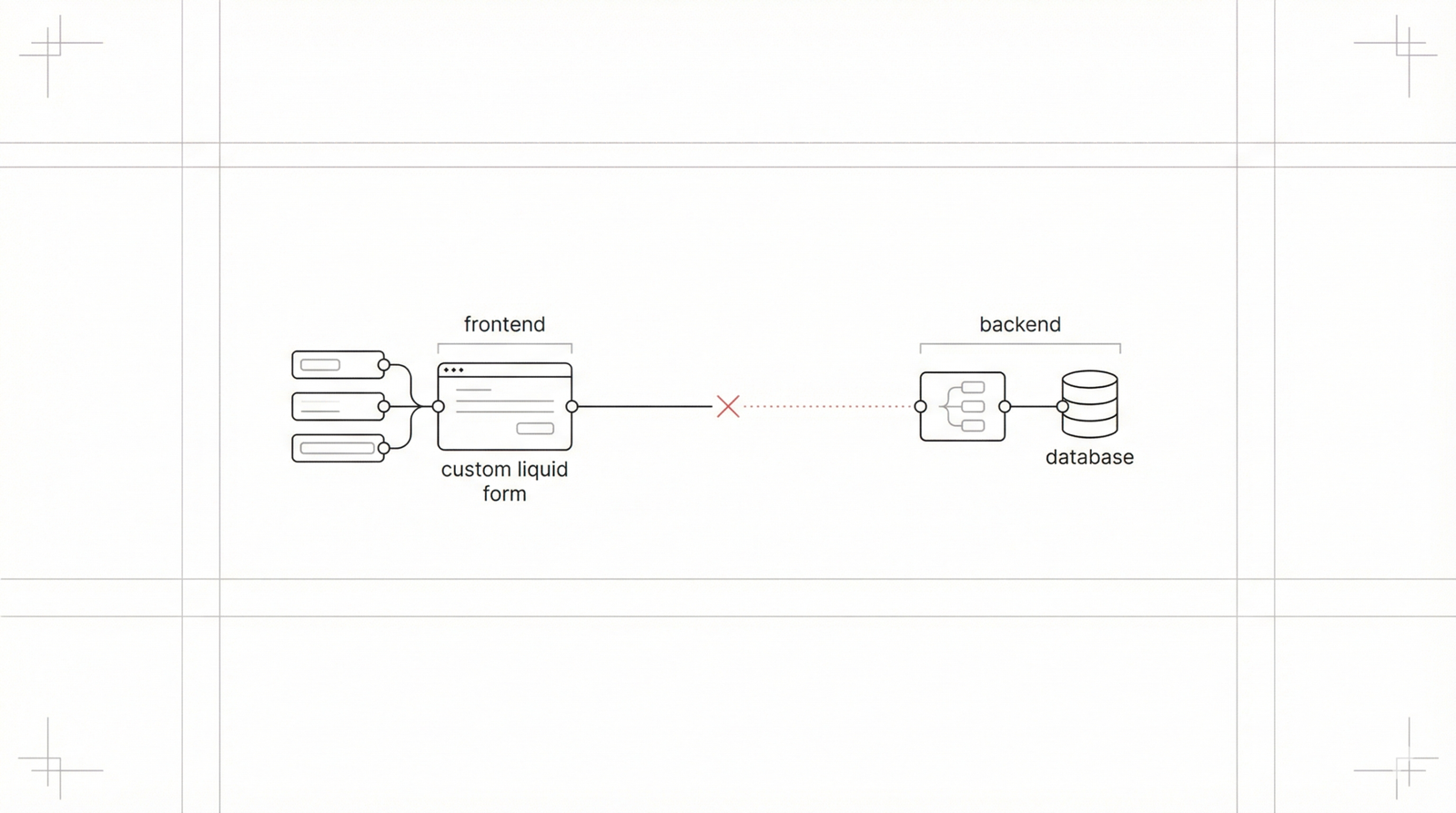
This document provides a comprehensive guide to diagnosing and resolving 2026 issues with Shopify custom Liquid forms not capturing data effectively under the latest theme architectures. Maintaining functional forms is critical for lead generation, customer support, and the overall user experience on your Shopify storefront.
Recognizing Form Submission Issues
Symptoms of a non-capturing form include several distinct indicators that developers and store owners should monitor:
Silent Failures: Form submission appears successful to the user, but no data is recorded in the Shopify admin (e.g., customer entries, contact submissions).
Partial Data Capture: Only a subset of form fields are captured, with essential data consistently missing or null.
Client-Side Errors:JavaScript errors (e.g., Uncaught TypeError) or network request failures (4xx or 5xx status codes for POST requests) appear in the browser console.
Unexpected Page Behavior: Form submission leads to an unexpected or broken page state, or fields do not clear as anticipated.
Missing Notifications: Expected email alerts for form submissions are not received.
User Feedback: Users report that their submissions are not being processed.
Performance Degradation: Forms take an unusually long time to submit or cause the page to freeze.
Technical Causes of Data Capture Failures
Several core technical issues prevent data from reaching its intended destination. These are often related to how the HTML structure interacts with Shopify's backend expectations:
Incorrect <form> action Attribute: The action attribute must precisely target the correct Shopify endpoint. An invalid URL prevents submission from reaching the handler.
<form action="/contact" method="post">
  <!-- form fields -->
</form>
Mismatched Input name Attributes: Form input fields require name attributes that conform to Shopify's expected Liquid object properties.
<input type="email" name="contact[email]" id="contactEmail">
Missing Critical Hidden Fields: Shopify POST requests often require specific hidden fields like form_type and utf8.
<input type="hidden" name="form_type" value="contact">
<input type="hidden" name="utf8" value="✓">
Liquid Code Rendering Errors: Syntax errors in Liquid can result in malformed HTML or missing input fields.
Client-Side JavaScript Interference: JavaScript can disrupt submissions by preventing default form submission without proper AJAX handling.
Shopify API or App Proxy Misconfiguration: Issues can include incorrect app proxy routing or authentication failures for custom app-driven forms.
Missing or Invalid CSRF Tokens: For custom applications employing CSRF protection, missing tokens will cause submissions to be rejected.
Why Common Fixes Fall Short
Ineffective fixes often stem from a lack of systematic understanding of the Shopify ecosystem. Common pitfalls include:
Blindly Modifying name Attributes: This only hides the problem temporarily. The root logic error remains.
Over-Reliance on Client-Side Debugging: Focusing solely on the browser console misses server-side rejection points.
Malformed HTML Form Structure: Modifying inputs outside the <form> tag or creating nested tags prevents correct submission.
Re-implementing Standard Form Logic: Recreating basic logic from scratch can introduce subtle bugs that standard Shopify patterns already solve.
Effective Solutions for Data Capture
A structured approach is essential for resolving data capture issues. Follow these professional best practices:
Systematic Debugging Workflow: Use browser developer tools to inspect network requests. Review the payload sent during the POST request and check the status codes returned by Shopify.
Version Control and Development Environments: Implement Git-based version control and utilize development branches. Conduct all form development and testing on isolated development themes before deploying to production.
Logging and Monitoring:
- Implement client-side logging (e.g., Google Analytics events).
- Integrate client-side error reporting solutions like Sentry.
- Ensure comprehensive Application Performance Monitoring (APM) for custom Shopify Apps.
Adhere to Shopify Best Practices: Consult official Shopify documentation for specific form types (customer registration, contact, cart) to ensure correct action attributes and input name conventions.
Progressive Enhancement: Design forms using progressive enhancement: ensure they function with basic HTML/Liquid submission first, then layer on JavaScript for enhanced UX features like AJAX.
Business Impact of Broken Forms
Unaddressed data capture issues have significant business consequences that go beyond simple technical bugs:
Lost Revenue: Non-functional quote or order forms result in direct loss of sales.
Customer Dissatisfaction: Inability to submit support requests leads to brand abandonment.
Inaccurate Reporting: Missing data corrupts customer profiles and analytics, leading to flawed business decisions.
Operational Inefficiencies: Manual intervention required to fix missing data increases costs.
Legal Risks: Failure to capture data correctly can lead to non-compliance with regulations like GDPR.
Key Takeaways
Verify Form Attributes: Meticulously check action and name attributes.
Inspect Hidden Fields: Ensure form_type and utf8 are present.
Debug JavaScript: Investigate the console for event.preventDefault() issues.
Consult Shopify Docs: Refer to official guides for specific parameter protocols.
Data Storage Strategy: Use Metafields for simple data or App Proxies for complex needs.
Frequently Asked Questions
How to store custom data from a Liquid form if it's not a standard Shopify field?
Use Shopify's Metafields for simple, structured data related to existing resources. For complex data models, develop a dedicated Shopify App using App Proxies and the Shopify Admin API.
Can JavaScript directly save data to Shopify's database?
No, JavaScript cannot directly access or modify Shopify's database. It must submit data to a standard Shopify endpoint or a custom app proxy endpoint, which then processes the data on the server side.
What are common Shopify API rate limits and their effect on custom forms?
Shopify API have rate limits (e.g., 2 requests/second for Admin API). While standard Liquid forms are generally not affected, custom apps interacting with the API might hit these limits during high-volume periods. Design apps with asynchronous processing and retry mechanisms.
