


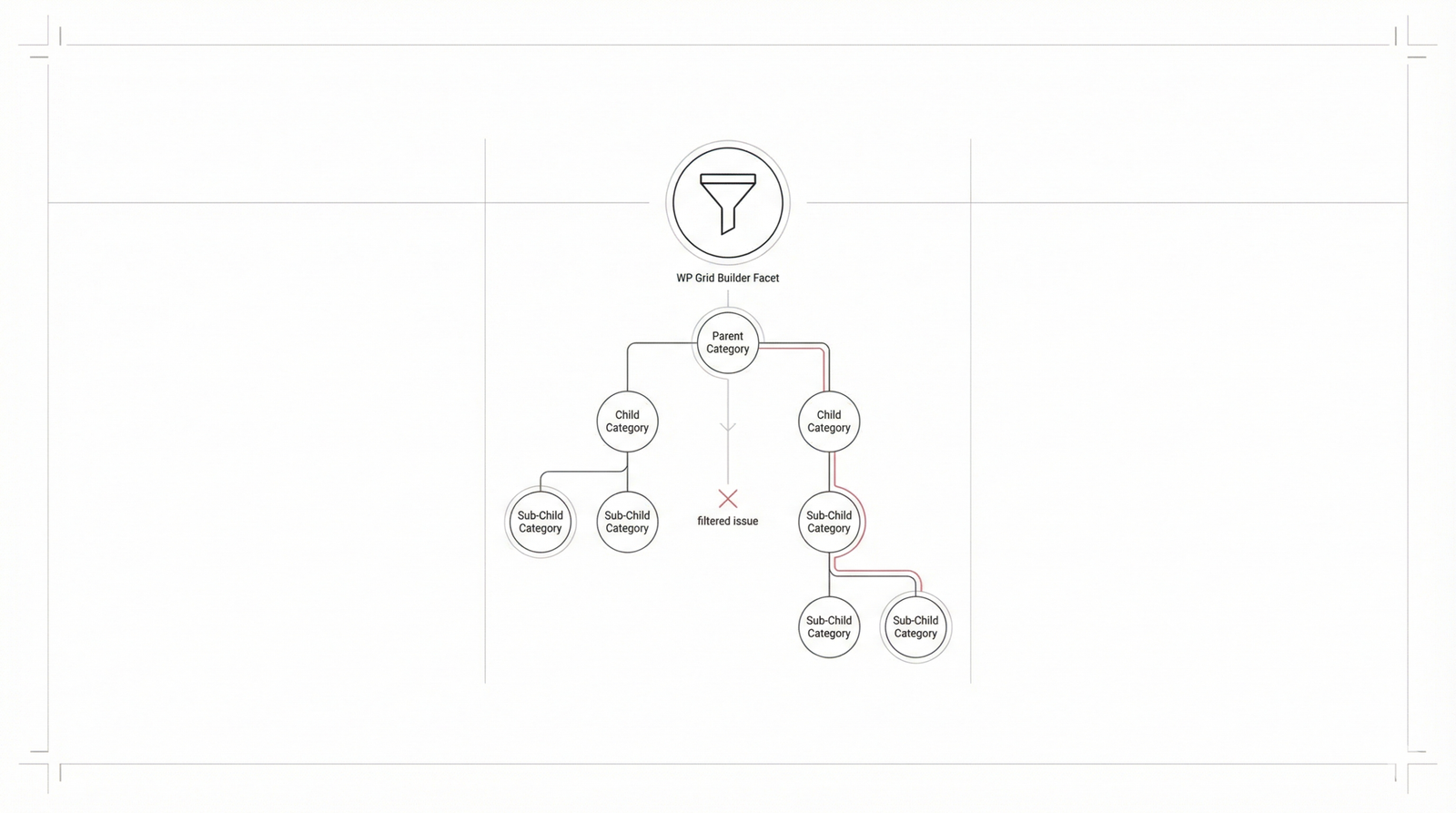
This technical guide addresses a common challenge for WordPress developers: WP Grid Builder facets failing to filter child categories. We will examine common symptoms, technical root causes, effective debugging strategies, and the business impact of these technical hurdles.
Symptoms of Filtering Problems
Users and site administrators experiencing this issue often report specific behavioral anomalies within their grids:
Unresponsive Facets for Child Categories: Selecting a parent category fails to trigger the display of child categories, or selecting a child category yields no results even when content exists.
Inconsistent Filtering Results: The system functions correctly for top-level categories but becomes erratic or fails entirely as users dive deeper into hierarchical taxonomies.
Grid Displays All or No Content: After a facet selection, the grid may incorrectly revert to showing all posts or, conversely, clear all items from the display.
URL Parameters Reflect Selection, Grid Unchanged: The browser URL updates with the selected child category slug, but the AJAX-driven grid fails to refresh its content..
Incorrect AJAX Requests/Responses: Network inspection reveals that outgoing requests are missing correct child category terms, or server-side responses return empty datasets.
JavaScript Errors: The browser console may show errors related to WP Grid Builder logic or conflicts with third-party scripts.
Inaccurate Facet Counts: Child categories may display '0' counts despite having multiple assigned posts.
Technical Reasons for Filtering Failures
Beneath the surface, several architectural or configuration issues usually cause these failures:
Incorrect WP Grid Builder Configuration: Often, the facet is set to "flat list" mode instead of "Tree" or hierarchical mode. Additionally, misconfigured "Query Type" or "Relationship" settings (like using `AND` instead of `IN`) can break deep-level queries.
WordPress Core and Taxonomy Structure: If a custom taxonomy is not registered as hierarchical, WordPress won't treat parent-child relationships as expected. Ensuring 'hierarchical' => true is vital.
function register_custom_hierarchical_taxonomy() {
    $labels = array(
        'name' => _x( 'Product Categories', 'taxonomy general name' ),
        'singular_name' => _x( 'Product Category', 'taxonomy singular name' ),
    );
    $args = array(
        'hierarchical' => true, // THIS IS CRITICAL for child categories
        'labels' => $labels,
        'show_ui' => true,
        'show_admin_column' => true,
        'query_var' => true,
        'rewrite' => array( 'slug' => 'product-category' ),
    );
    register_taxonomy( 'product_category', array( 'product' ), $args );
}
add_action( 'init', 'register_custom_hierarchical_taxonomy' );
Theme and Plugin Conflicts: Conflict usually arises from JavaScript libraries overriding WP Grid Builder scripts or global pre_get_posts filters unintentionally interfering with taxonomy-specific queries.
Cache Invalidation: Persistent object caching or page caching can serve stale AJAX responses, leading users to see outdated results that don't reflect their current facet selections.
Pitfalls of Common Troubleshooting Methods
Before implementing a permanent fix, avoid these common "band-aid" solutions:
Force-Refreshing Cache: This only hides the problem temporarily. The root logic error remains.
Modifying Plugin Core: Editing WP Grid Builder's files is risky, unsustainable, and will be overwritten during updates.
Overly Broad Filters: Adding generic filters to pre_get_posts can cause side effects across the rest of the site's loops.
Ignoring Browser Console: Failing to check the Network tab means you're guessing at what the server is actually sending back.
Effective Solutions for Hierarchical Filtering
Configuration Audit:Review every facet setting. Ensure the display mode is set to "Tree." Verify that the WordPress taxonomy is indeed registered with hierarchical support. If using custom code to modify the tax_query, check that include_children is explicitly set to true.
Systematic Debugging: We recommend a staging environment for this process. Disable plugins one by one and switch to a default theme like Twenty Twenty-Four. Use the browser's developer tools to monitor AJAX traffic and identify where the data chain is breaking.
Custom Query Enhancement: For complex requirements, leverage the wp_grid_builder/posts_query hook to manually refine the WP_Query arguments.
add_filter( 'wp_grid_builder/posts_query', function( $query_args, $grid_id, $facets ) {
    // Only apply if 'product_category' is being filtered hierarchically
    if ( isset( $facets['product_category'] ) && ! empty( $facets['product_category'] ) ) {
        $selected_terms = $facets['product_category'];

        $query_args['tax_query'][] = array(
            'taxonomy' => 'product_category',
            'field'    => 'term_id',
            'terms'    => $selected_terms,
            'operator' => 'IN',
            'include_children' => true, // Essential for hierarchical filtering
        );
    }
    return $query_args;
}, 10, 3 );
Optimize Caching: Ensure that your caching plugin (like WP Rocket or W3 Total Cache) is configured to exclude WP Grid Builder’s dynamic AJAX requests from full-page caching, or ensure the object cache is purged when taxonomies are updated.
Business Consequences of Unresolved Issues
Leaving these issues unaddressed has a measurable impact on performance metrics:
Poor User Experience: Frustrated users who cannot find what they need will bounce immediately.
Reduced Discoverability: High-value content in sub-categories effectively disappears from the site's navigation.
Lost Conversions: In e-commerce, if a user can't filter down to a specific product sub-type, the sale is lost.
Operational Costs: Developer time is wasted responding to support tickets rather than building new features.
Key Takeaways
Always confirm that your facet display mode is "Tree" and the taxonomy is registered as hierarchical.
The browser's Network tab is your best friend for debugging AJAX response failures.
Use WP Grid Builder hooks for surgical query manipulation rather than global filters.
Technical SEO and content discoverability rely heavily on functioning hierarchical filters.
