



A cumulative layout shift (CLS) is a Core Web Vitals metric that measures the visual instability of a webpage. It occurs when visible elements suddenly change their position as a page renders. Because unexpected cumulative layout shifts can result in poor user experience, optimizing your CLS performance is critical for both user retention and SEO rankings. This cumulative layout shift guide breaks down the technical root causes of visual instability and provides production-level solutions.
How Google Calculates CLS Scores
Your CLS scores are calculated by multiplying two critical factors that define how disruptive a layout shift is to the end-user:
1. Impact Fraction
Measures the area of the viewport affected by a layout shift. It's the sum of visible area of unstable elements before and after a shift.
2. Distance Fraction
Measures how far unstable elements moved relative to the viewport's dimensions (the largest movement divided by the largest dimension).
Why Cumulative Layout Shifts Can Result in Poor User Experience
Unexpected Content Movement: Elements suddenly jumping after initial rendering.
Interactive Element Shifts: Buttons or links changing position, leading to accidental misclicks.
"Janky" Experience: A general feeling of instability that makes content engagement difficult.
Performance Warnings: Google Lighthouse reporting scores typically above 0.1.
Technical Root Causes of CLS
Identifying the technical origin of shifts is the first step toward optimization. Most issues stem from the browser being unable to determine space requirements before assets load.
<!-- Lacks dimensions, causing shift on load -->
<img src="my-image.jpg" alt="Description">
<!-- Dimensions reserved via attributes -->
<img src="my-image.jpg" width="600" height="400" alt="Description">
Common Misconceptions and Failed CLS Fixes
Many developers attempt to fix CLS using methods that only mask the problem or delay it without solving the underlying layout instability.
⚠️ WARNING: Font Display Hazards
Using font-display: block or omitting it entirely for web fonts can severely exacerbate CLS by forcing the browser to wait and then aggressively swap fonts, causing significant text reflows.
The Ultimate Cumulative Layout Shift Fix
-
Define Dimensions: Always include width/height or use the CSS
aspect-ratioproperty. -
Reserve Space: For ads and dynamic embeds, use
min-heightplaceholders. - CSS Transforms: Animate transform instead of properties like top or height.
💡 PRO-TIP: Developer Tools
Regularly leverage Chrome DevTools' "Layout Shift Regions" overlay in the Performance tab. It visually highlights areas experiencing shifts in real-time, making debugging significantly more intuitive.
CLS Cause & Fix Reference Table
| CLS CAUSE | RECOMMENDED FIX |
|---|---|
| Images/Videos without sizing |
Add explicit
width
and
height
attributes.
|
| Dynamic Ads/Embeds |
Reserve space with
min-height
or placeholders.
|
| Web Fonts (FOIT/FOUT) |
Use
font-display: swap;
preload critical fonts.
|
| Animations |
Prefer CSS
transform
over layout properties.
|
Business Impact of Poor CLS
Conversion & Retention
Layout shifts disrupt user flows during critical moments like checkout, leading to cart abandonment and lower ROI.
Because modern algorithms prioritize page experience, poor CLS performance directly harms your search rankings. High shift scores can lead to decreased organic visibility.
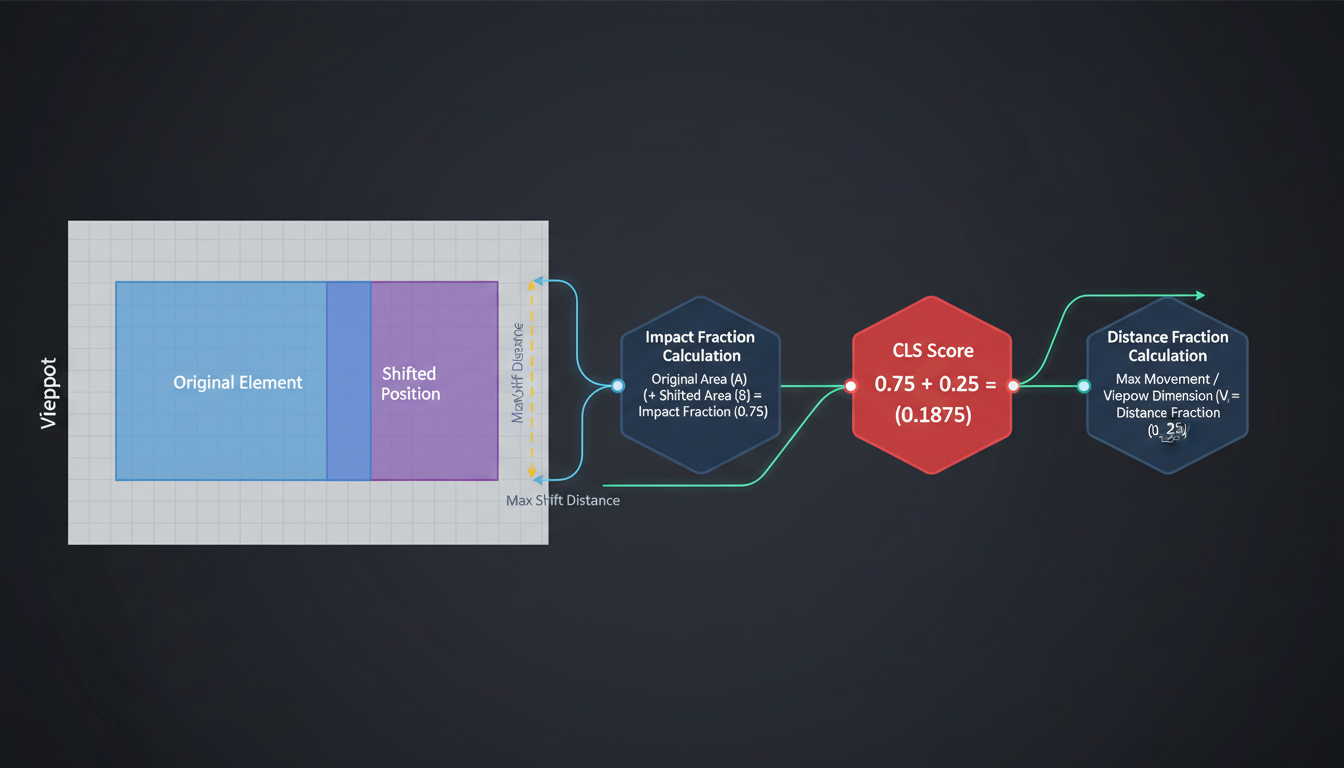
Conceptual technical diagram: Mapping the layout shift lifecycle
Key Takeaways for a Stable Web Experience
CLS measures Visual Stability, which is the cornerstone of modern web usability and user trust.
The Goal
Aim for a score below 0.1 to pass the Core Web Vitals assessment.
The Action
Proactively reserve space for all content, especially asynchronous assets.
Frequently Asked Questions
What is a good CLS score?
0.1 or less is Good. 0.1 to 0.25 Needs Improvement. Above 0.25 is Poor.
Why is CLS important?
It impacts both the User Experience (conversions, bounce rates) and SEO rankings.
How to check CLS score?
Use Google Lighthouse, PageSpeed Insights, or the Chrome DevTools Performance tab.
For more detailed guidelines, consult the Google Developers documentation on web.dev.
