


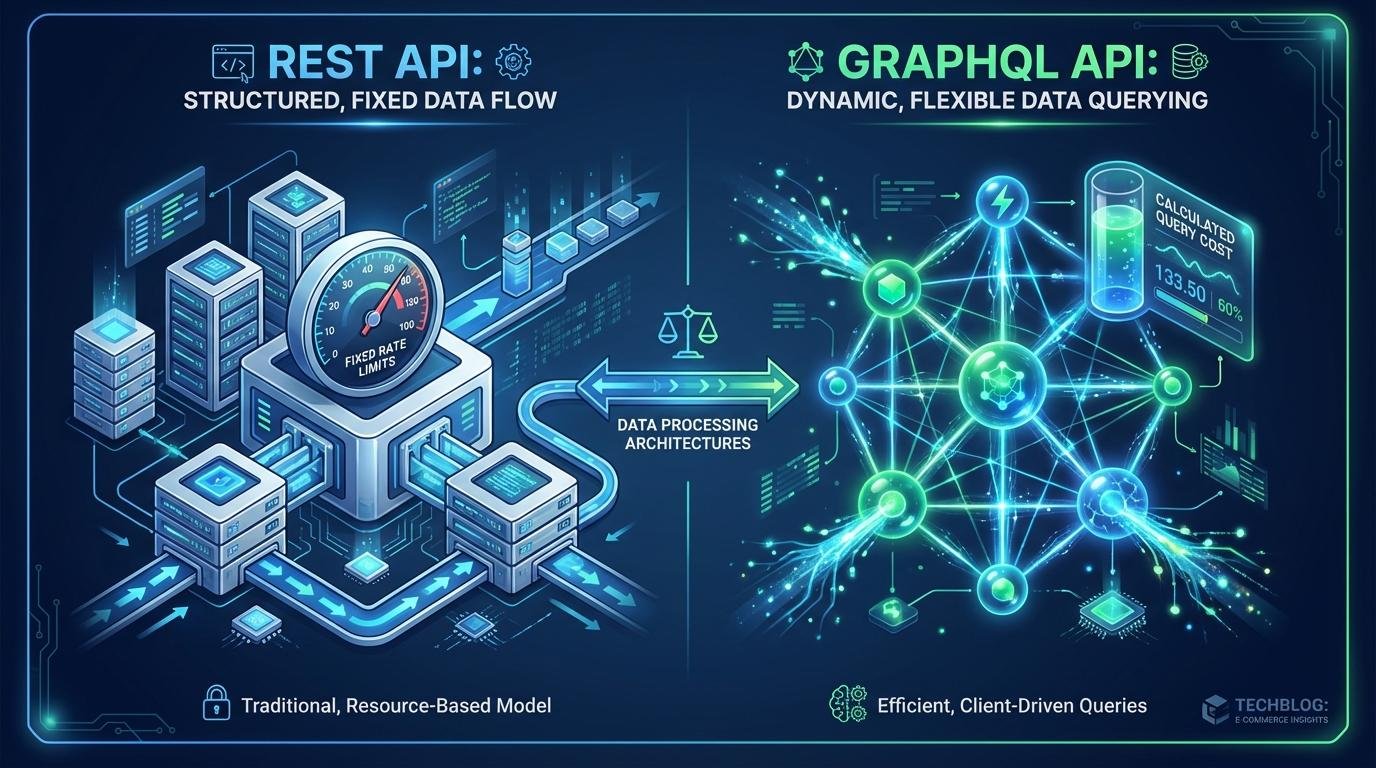
When building or maintaining applications, understanding the Shopify REST Admin API rate limits compared to the newer GraphQL infrastructure is critical. While GraphQL utilizes a dynamic, cost-based system, the REST API relies on a rigid “leaky bucket” algorithm. To avoid crashing your app with HTTP 429 Too Many Requests errors, this guide breaks down exactly how both systems throttle your data.
Symptoms of API Throttling
Symptoms of rate limit exhaustion differ between REST and GraphQL Admin APIs, often presenting as cryptic error codes or inconsistent response times.
REST Admin API Symptoms
- HTTP 429 “Too Many Requests” errors, indicating exceeded allowed requests within a timeframe.
- Slower data synchronization or batch processing.
- Incomplete data imports/exports due to dropped calls.
- Unreliable webhook responses, breaking automated workflows.
- Persistent HTTP 429 errors signal a mismatch between request volume and Shopify limits.
GraphQL Admin API Symptoms
- Requests may succeed but include “Throttled” or “Cost Exceeded” errors in the response payload.
- Complex queries (deep nesting, numerous fields) may complete slowly or time out.
- Inconsistent query performance for similar requests due to varying
actualQueryCost. - Difficulty predicting the exact “cost” of dynamic or evolving GraphQL queries.
Technical Root Causes: Shopify REST Admin API vs GraphQL API Rate Limits
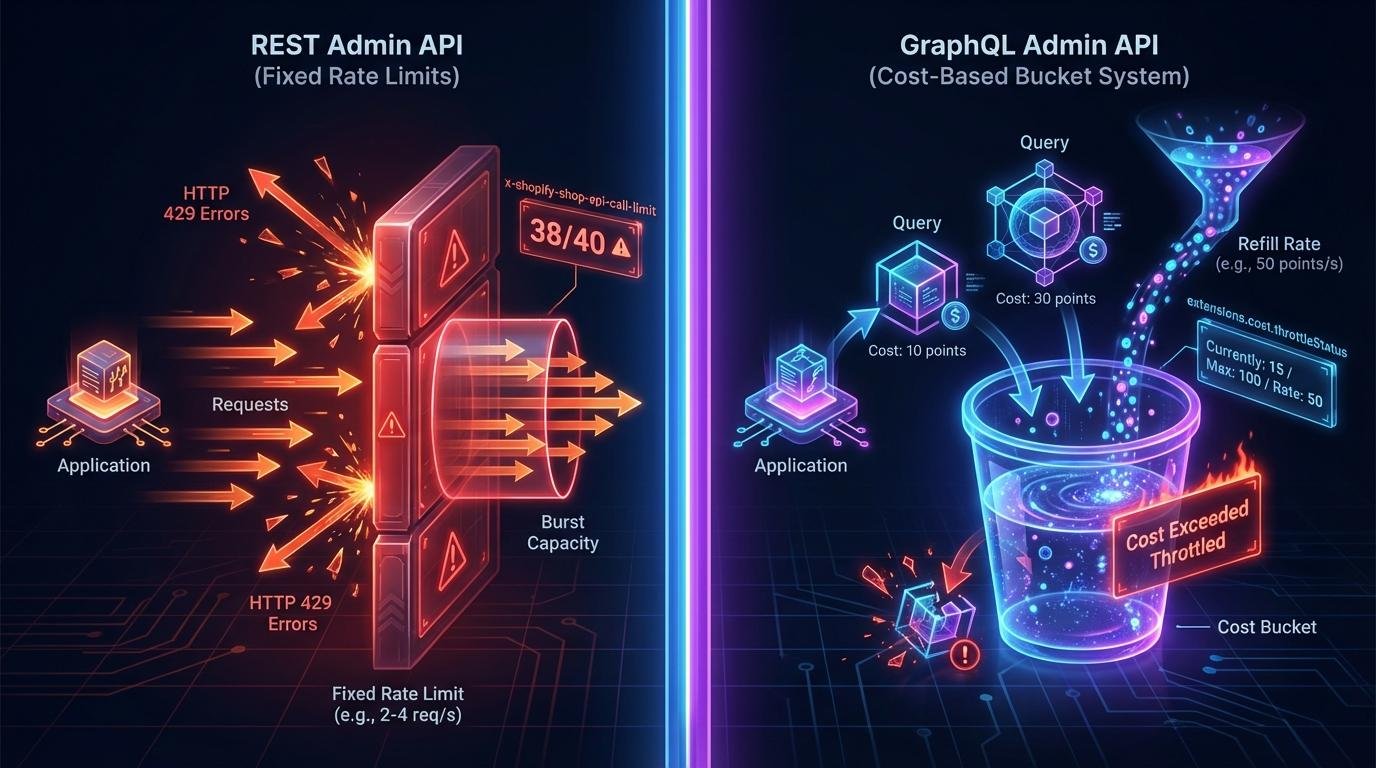
Visualizing the flow of request credits vs. cost-based query execution.
Understanding Shopify REST Admin API Rate Limits
The REST API operates on a leaky bucket algorithm. The primary cause of failure is simply exceeding fixed request rate limits (typically 2-4 requests per second).
- Burst Capacity: Depleting burst capacity (limited rapid requests, e.g., 40) before strict limits re-apply.
- Inefficiency: Numerous small, inefficient requests quickly hit thresholds.
- Constraints: Fixed request rates (2 req/s standard, 4 req/s for Shopify Plus).
- Limitation: REST API tendency to fetch entire resources even when only a few fields are needed.
# Example of checking the REST limit header in Python
import requests

response = requests.get(shopify_url, headers=headers)
call_limit = response.headers.get('x-shopify-shop-api-call-limit')
# Returns "1/40" (current usage/total bucket)
print(f"Current API Usage: {call_limit}")
GraphQL Admin API Root Causes and Constraints
GraphQL failures are more nuanced, revolving around query complexity points rather than raw request counts.
- Primary Cause: Executing high-cost queries with many fields or deep nesting, rapidly consuming points.
- Replenishment: Rapid succession of queries without allowing the bucket to replenish (refill rate: 50 points/s).
- Monitoring: Developers must monitor
extensions.cost.throttleStatusfor real-time information.
Common Failed Fixes and Why They Don't Work
REST Failed Fixes
Blind retries for 429 errors without delay flood the API. Multiple API keys often fail because limits are tied to the shop itself.
GraphQL Failed Fixes
Breaking down queries into many simple ones can actually increase total overhead and cost. Ignoring query cost telemetry is a fatal error.
⚠️ WARNING
Relying solely on `Retry-After` headers is insufficient. Combine with exponential backoff and jitter for a robust retry mechanism.
Effective Solutions for Shopify API Rate Limiting
To build production-grade integrations, you must move beyond simple requests to a sophisticated orchestration layer.
💡 PRO-TIP
Design integrations with an "offline-first" mentality, caching data locally and syncing strategically to minimize API dependency.
def make_shopify_request_with_backoff(url, headers):
    max_retries = 5
    for attempt in range(max_retries):
        resp = requests.get(url, headers=headers)
        if resp.status_code == 429:
            retry_after = float(resp.headers.get("Retry-After", 2))
            # Exponential backoff with jitter
            wait = retry_after * (2 ** attempt) + random.uniform(0, 1)
            time.sleep(wait)
            continue
        return resp.json()
API Rate Limit Comparison: REST vs. GraphQL
| Feature | REST Admin API | GraphQL Admin API |
|---|---|---|
| Limiting Model | Fixed Request Rate | Cost-Based Bucket |
| Primary Unit | Requests per second | Points per query |
| Standard Limit | 2 req/s (4 req/s Plus) | 100pt max, 50pt/s refill |
| Monitoring | HTTP headers | Payload extensions |
Business Impact of Unmanaged API Throttling
Failing to manage these limits isn’t just a technical glitch; it has real-world consequences:
- Data Inconsistencies: Outdated inventory, pricing, or customer data across systems.
- Customer Experience: Slow page loads, failed checkouts, inability to display real-time information.
- Revenue Loss: Missed sales opportunities due to incorrect availability or processing failures.
- Scalability: Inability to handle peak traffic without constant API outages.
Frequently Asked Questions
What is the fundamental difference in rate limits?
REST is limited by requests per second (quantity), whereas GraphQL is limited by the complexity of the data requested (quality/depth).
How do I monitor my usage?
For REST, check x-shopify-shop-api-call-limit. For GraphQL, look at extensions.cost.throttleStatus in the response body.
Do Shopify Plus merchants get higher limits?
Yes. Plus merchants generally receive double the REST limits (4 req/s) and have access to specialized tools like bulkOperationRunQuery for massive data exports.
